The Ultimate Guide on How to Improve Wireless Audio Quality for Your Devices
We all absolutely love the amazing freedom that comes with getting rid of messy, tangled cables. Being able to walk around your house, cook dinner, or exercise at the gym without a wire connecting your head to your phone is one of the best technological advancements of our modern age. However, many people quickly notice that when they switch from traditional wired headphones to modern Bluetooth earbuds or speakers, the music simply does not sound as full, rich, or exciting as it used to. You might find yourself listening to your favorite songs and wondering where the deep bass went, or why the singer’s voice sounds a little bit muffled and distant. If you are sitting there feeling frustrated and wondering how to improve wireless audio quality without having to spend a massive amount of money on brand-new equipment, you have come to the exact right place. In this detailed and incredibly helpful guide, we are going to explore all the simple, everyday steps you can take to make your Bluetooth audio sound absolutely amazing. Grab your favorite pair of wireless headphones, connect them to your phone, and let us dive into the wonderful world of getting the best possible sound without the wires.
Understanding Why Your Bluetooth Headphones Might Sound a Bit Flat
To really fix your sound issues, it is very important to first understand exactly why wireless audio sometimes struggles to sound as good as a wired connection. When you plug a physical cable into your phone, the raw, heavy audio data travels smoothly and directly up the wire right into your ears without losing any information. Bluetooth, on the other hand, works completely differently because it uses invisible radio waves to send the music through the air. Because the air cannot carry as much heavy data as a solid metal wire, your phone has to squeeze and compress the music file into a much smaller size before it shoots it over to your headphones. This squeezing process is called compression, and unfortunately, when the music gets compressed, some of the tiny, beautiful details of the song are completely lost or thrown away. Understanding this invisible shrinking process is the very first step in figuring out how to improve wireless audio quality, because our main goal will be to give your phone and your headphones the absolute best possible chance to send and receive the highest quality data they can handle.
The Simplest Secret: Upgrading Your Music Streaming App Settings
One of the most common reasons people suffer from terrible sound has absolutely nothing to do with their expensive headphones and everything to do with the simple app they use to play their music. Whether you use popular services like Spotify, Apple Music, or YouTube Music, almost all of these apps are set by default to save your mobile data. This means that out of the box, the app is intentionally feeding you the lowest possible quality of music so that you do not use up all of your internet allowance for the month. If you want to know how to improve wireless audio quality instantly, you need to open the settings menu inside your music application right now. Look for a section labeled “Audio Quality” or “Data Saver” and change the streaming quality from “Normal” or “Data Saver” to the “High” or “Very High” option. If you are using Apple Music or Tidal, you can even look for the “Lossless” audio toggle. Just making this one incredibly simple change on your phone will feed much better, richer music data to your headphones, completely transforming the way your favorite albums sound.
How to Improve Wireless Audio Quality by Choosing the Right Bluetooth Codecs
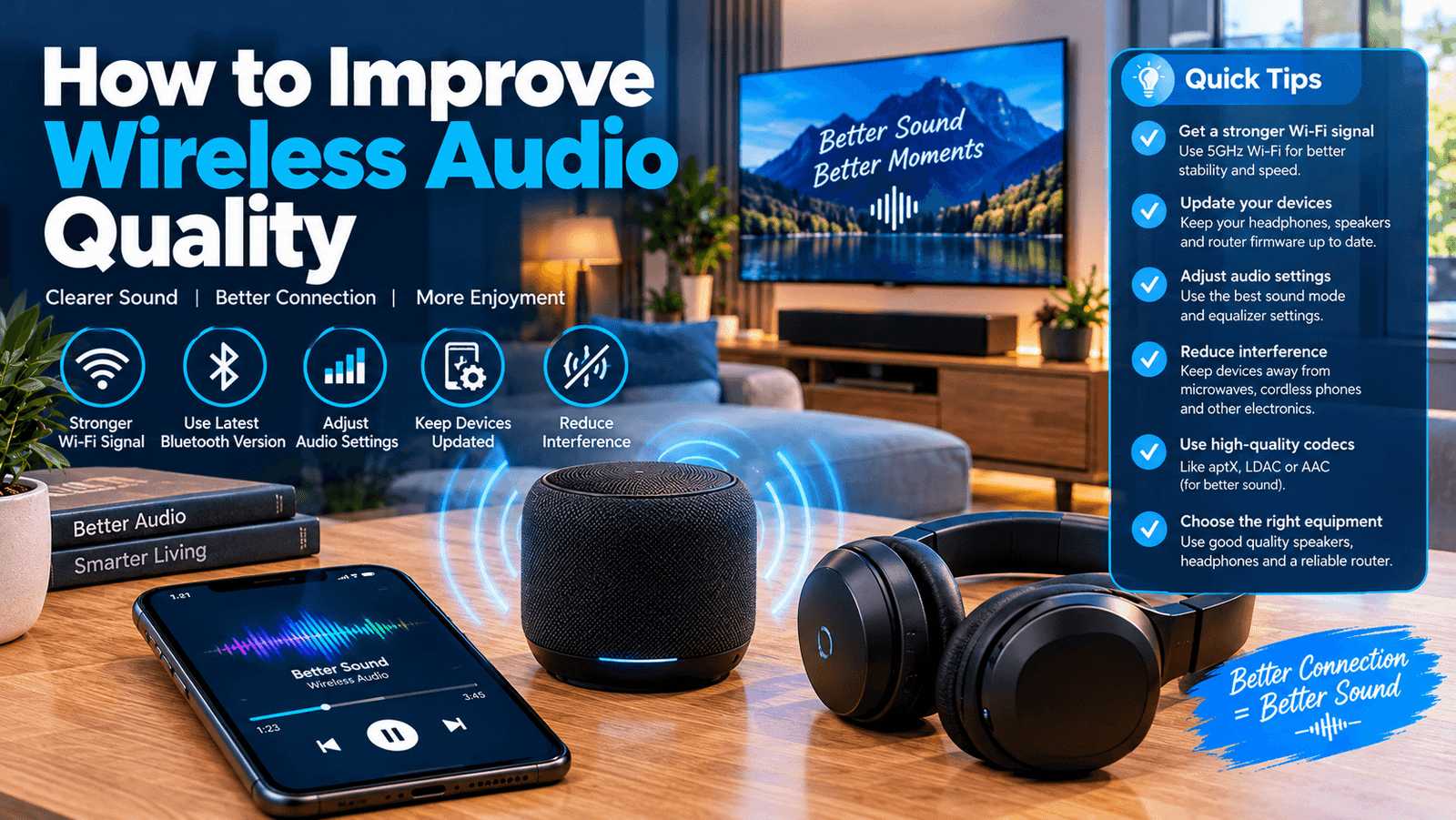
The word “codec” might sound like a very scary and highly technical computer term, but it is actually very easy to understand if you think of it like a digital translator. A Bluetooth codec is simply the software language that your phone and your headphones use to talk to each other and compress the music. Some translators are very slow and lazy, while others are incredibly fast and capture every single detail. The standard, basic language that almost all devices speak is called SBC, and it generally provides the lowest quality sound. However, if you are using an Apple iPhone, your device uses a much better language called AAC. If you are using an Android phone, you might have access to incredibly powerful, high-quality languages like aptX, aptX HD, or LDAC. To unlock the best sound, you can go into the developer settings of your Android phone and force your device to use the highest quality codec available, like LDAC. Making sure your devices are speaking the absolute best digital language together is a massive secret to unlocking beautifully crisp and clear wireless sound.
The Importance of a Perfect Physical Fit and Proper Ear Tips
You can have the most expensive, technologically advanced wireless earbuds in the entire world, but if they do not fit inside your ears perfectly, they are going to sound completely terrible. The physical seal between your earbud and your ear canal is basically the foundation of good sound. If the rubber or silicone tip is too small, all of the deep, rich bass will physically leak out of your ear into the surrounding air, leaving your music sounding incredibly thin, harsh, and tinny. Furthermore, a bad seal lets all the annoying outside noises from the street or your office leak right into your ears, ruining the song. To fix this, you should spend some time testing out all the different sizes of ear tips that came inside the box with your earbuds. You might even discover that you need a medium tip for your left ear and a large tip for your right ear, which is perfectly normal. Upgrading to special memory foam ear tips, which gently expand to perfectly fill the unique shape of your ear canal, is an incredibly cheap and highly effective way to magically boost your bass and block out the noisy world.
Keeping Your Wireless Earbuds and Headphones Perfectly Clean
This might sound like a very silly or slightly gross topic to discuss, but simple hygiene is a massive factor when you are trying to figure out how to improve wireless audio quality. Over weeks and months of daily use, the tiny metal speaker grills on your earbuds can easily become completely blocked by earwax, dust, pocket lint, and sweat. When that delicate little grill is clogged up with dirt, the sound physically cannot escape the speaker, resulting in music that sounds muffled, quiet, and highly distorted. You can easily fix this common problem by taking a few minutes every single month to gently clean your wireless devices. You can use a clean, dry toothbrush to very softly brush away any dirt sitting on the speaker mesh, or you can use a small cotton swab with just a tiny drop of rubbing alcohol to clean the rubber ear tips. By keeping those tiny speaker holes completely clear and unobstructed, you ensure that the crisp, high notes and heavy bass lines can travel freely from the electronic driver directly into your ear drums.
How Distance and Physical Obstacles Ruin Your Bluetooth Connection
Because Bluetooth relies entirely on invisible radio waves, it is highly sensitive to the physical space around you. Many people complain about stuttering, skipping, or dropping sound quality, only to realize that they left their phone completely in the other room behind three thick walls. Bluetooth usually has a maximum effective range of about thirty feet, but that range assumes you are standing in a completely empty, open field. In the real world, solid objects like thick brick walls, large metal refrigerators, and even your own human body can block the delicate radio waves. When the signal gets weak, your devices will panic and automatically drop the audio quality to a much lower level just to keep the song playing without pausing. If you want to maintain the best, highest quality sound stream possible, you need to keep your phone or your music player relatively close to your headphones. Keeping your phone in your front pocket or sitting right on your desk in front of you ensures that the radio waves have a clear, uninterrupted path to travel through the air.
Eliminating Electronic Interference from Other Household Devices
Your home is likely filled with invisible traffic jams of radio waves that you cannot even see, and these traffic jams can completely destroy your wireless listening experience. Bluetooth operates on a very specific radio frequency known as 2.4 GHz. Unfortunately for your music, this exact same frequency is also heavily used by your home Wi-Fi router, your smart home devices, baby monitors, and even your microwave oven. When all of these different electronics are shouting over the same invisible airwaves at the exact same time, your wireless headphones can get easily confused, resulting in static, popping noises, and compressed audio. If you are sitting right next to a massive Wi-Fi router while trying to listen to high-quality music, you are going to have a very bad time. To quickly solve this issue and learn how to improve wireless audio quality in a busy house, simply try moving a few feet away from your main internet router, or turn off any old Bluetooth devices lying around the room that are constantly searching for a connection.
Using Equalizer (EQ) Settings to Customize Your Listening Experience
Every single human being on the planet has slightly different hearing, and we all love different types of music. The way the factory tuned your headphones out of the box might sound great for classical music, but it might sound incredibly boring if you love heavy hip-hop or upbeat pop music. This is where an Equalizer, commonly known as an EQ, becomes your absolute best friend. An EQ is a digital control panel that lets you manually turn up the deep bass, boost the middle vocals, or sharpen the high-pitched instruments. Most modern smartphones have a built-in EQ hidden deeply in their main sound settings, and popular apps like Spotify also have their own dedicated EQ sliders. By spending just ten minutes playing your favorite song and gently moving these sliders up and down, you can completely customize the sound to perfectly match your own personal taste. Adding a little bit of extra bass or brightening up the singer’s voice is a completely free way to make your old headphones sound brand new and exciting again.
How Keeping Your Device Firmware Fully Updated Enhances Sound
When we buy a new pair of headphones, we usually just pair them to our phone once and then completely forget about the technical side of things. However, the companies that make these audio devices are constantly working in the background to make them better. They regularly release hidden software updates, which are called firmware updates, to fix annoying bugs, improve the Bluetooth connection stability, and sometimes completely completely refine the way the internal speakers sound. If you are running on software that is two years old, you are completely missing out on all the free improvements the engineers have created. To make sure you have the latest software, you need to download the official mobile application created by the company that made your headphones, whether that is Sony, Bose, or Samsung. Open the app, connect your earbuds, and look for an option that says “Update Firmware” or “Software Update.” Taking five minutes to install this new software can instantly fix sound glitches and magically improve how your devices handle complex music files.
The Surprising Connection Between Battery Life and Audio Performance
You might not realize it, but the battery level on your wireless devices plays a massive role in how good your music sounds. Pushing deep, heavy bass and crisp, loud high notes out of a tiny speaker requires a surprising amount of electrical power. When your wireless headphones or your phone drop below twenty percent battery life, they often go into a hidden power-saving mode. In order to keep the device from dying completely, the internal computer will silently reduce the Bluetooth broadcasting strength and lower the maximum volume of the speakers, resulting in flat, lifeless music that lacks energy. If you are constantly wondering how to improve wireless audio quality during the final hours of your workday, the simple answer is to keep your electronics fully charged. Making a good habit of placing your earbuds back into their charging case whenever you take a quick break ensures that the tiny internal batteries always have plenty of electrical juice to push the speakers to their absolute maximum performance levels.
How to Improve Wireless Audio Quality Using Dedicated Manufacturer Apps
As we mentioned briefly before, almost every major headphone brand today offers a free, dedicated application that you can download directly to your smartphone. A massive mistake that many average users make is completely ignoring these apps because they think they are just annoying advertisements. In reality, these companion apps hold the master keys to unlocking the true potential of your expensive audio gear. Inside these brand-specific applications, you will often find special toggles that allow you to switch the Bluetooth connection from “Focus on Stable Connection” to “Focus on Audio Quality.” By choosing the quality option, you are forcing the headphones to use the highest possible bandwidth to receive the music. Furthermore, these apps often include special hearing tests that play various beeps and tones to map out exactly how well your ears can hear different frequencies, automatically adjusting the music to make up for any hearing loss you might have. Downloading and exploring your specific manufacturer’s app is a massive leap toward achieving perfect wireless sound.
Upgrading the Source Device: Why Your Old Phone Might Be the Problem
Sometimes, the problem is not your shiny new wireless headphones at all; the real problem might actually be the old smartphone sitting in your pocket. Bluetooth technology has improved massively over the last few years, moving from older, slower versions like Bluetooth 4.0 to modern, incredibly fast versions like Bluetooth 5.3. If you just bought a brand-new, highly expensive pair of wireless earbuds but you are connecting them to a smartphone that is five or six years old, you are going to experience a massive bottleneck. The old phone simply does not have the modern hardware or the processing power required to transmit high-resolution, heavy audio files through the air. The headphones will be forced to downgrade their own quality just to understand the old phone. While buying a new phone is obviously a very expensive solution, it is important to realize that wireless audio quality is a two-way street. Both the sender and the receiver need to have modern, up-to-date hardware to truly create that magical, high-fidelity listening experience you are craving.
Exploring the Benefits of Noise Cancellation for Better Sound Clarity
Active Noise Cancellation, which is often just called ANC, is mostly marketed as a great way to block out the roaring engines on an airplane or the loud chatter in a busy coffee shop. However, turning on the ANC feature is actually one of the absolute best ways to deeply improve the perceived quality of your music. When you are listening to music in a noisy environment without ANC, the low rumble of traffic outside completely drowns out the quiet, delicate bass notes in your song. To compensate, people usually turn the volume up dangerously high, which distorts the speakers and hurts their ears. When you activate Noise Cancellation, the headphones use tiny microphones to magically erase the background room noise. With a completely silent background, you can suddenly hear the gentle pluck of an acoustic guitar and the deep thumping of the bass drum at much lower, safer volumes. Creating a quiet canvas for your music allows your brain to appreciate all the wonderful details without the headphones having to work nearly as hard.
Knowing When It Is Finally Time to Buy Better Wireless Hardware
At the end of the day, there is only so much magic you can do with software settings, ear tips, and cleaning routines. The hard, honest truth about learning how to improve wireless audio quality is that hardware limitations are very real. If you bought a generic, unbranded pair of wireless earbuds from a gas station for ten dollars, they are always going to sound muddy and terrible because the physical speakers built inside them are made from the cheapest materials possible. You simply cannot force a cheap, tiny speaker to produce the massive, detailed sound of a premium device. If you have carefully tried every single tip, trick, and setting mentioned in this guide and you are still unhappy with the flat, boring sound reaching your ears, it might be time to accept that you need an upgrade. Saving up your money to invest in a highly-rated pair of headphones from a trusted, dedicated audio brand will instantly provide a massive leap in audio quality that no amount of software tweaking could ever possibly match.
Final Thoughts on Getting the Absolute Best Sound Without Wires
We have covered a massive amount of helpful ground today, from digging deeply into your mobile streaming app settings to understanding the invisible radio waves floating around your living room. The wonderful journey of discovering how to improve wireless audio quality is all about making a lot of tiny, smart adjustments that eventually add up to a completely beautiful listening experience. You do not have to be a professional music producer or a technical genius to get great sound. By simply ensuring your earbuds fit perfectly, keeping them clean, turning up the streaming quality, and experimenting playfully with your digital equalizer, you can bring all of your favorite songs back to life. Wireless technology has come an incredibly long way, and when properly configured, it can deliver an emotional, powerful musical experience that rivals the old wired headphones of the past. Keep experimenting with your settings, treat your electronics with care, and always make sure you are feeding them the absolute best music data possible.
Taking a few short minutes today to dive into your phone menus and tweak these simple settings will completely change how you enjoy your daily playlists. Remember that great sound is deeply personal, so trust your own ears, have fun adjusting the sliders, and get ready to fall completely in love with your favorite albums all over again.